We're currently beta testing a new search experience in DISCO!
At a glance
The new search experience is available for all DISCO users and can be accessed from the left sidebar.
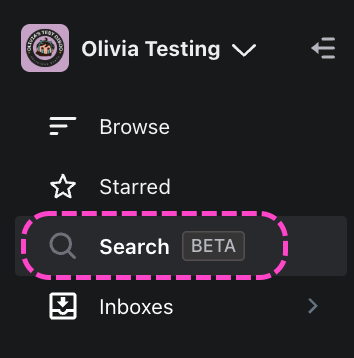
Note: All users still have access to the original search experience in DISCO.
Some highlights of our new search experience include:
- Customize Columns: Search for and select only the columns that matter to you.

- Access key metadata instantly: See more and click less. No need to open Tracks to check details.
- Filter and sort faster: Quickly find the Tracks you’re after
- Stream instantly: Stream one Track after the next in quick succession by clicking the Waveform on the Search page

- Browse seamlessly: move smoothly from Track to Track without extra clicks


For more details, check out our blog!
How it works
Accessing the new search page
- From the left sidebar of your DISCO, select Search BETA.
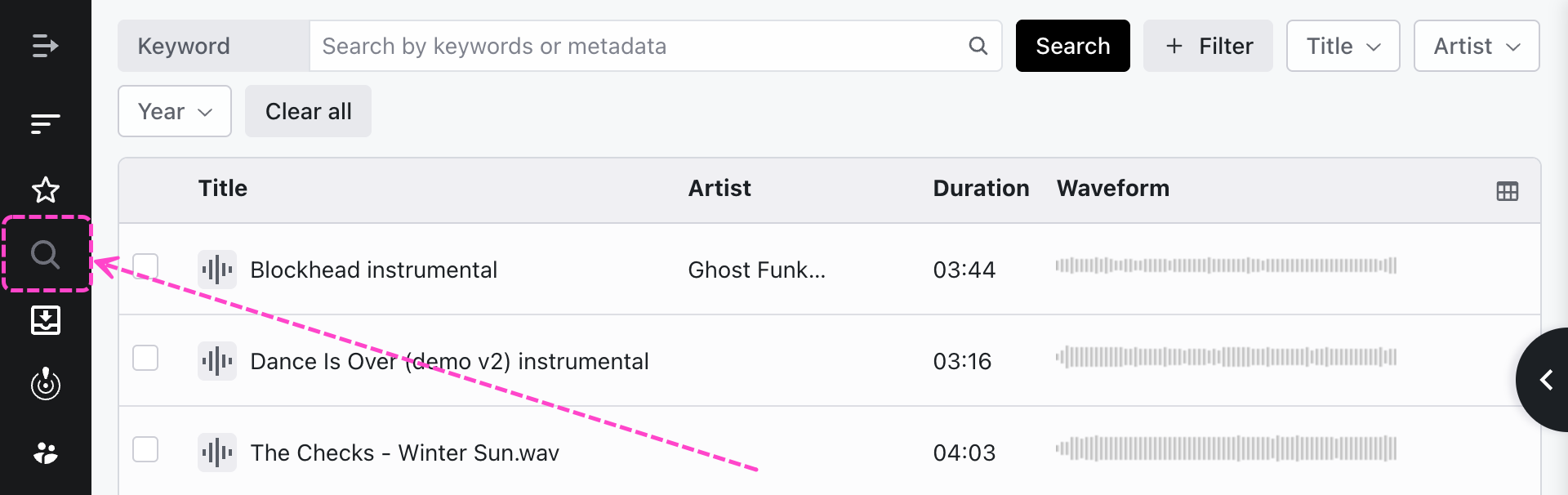
- The new search page will open and the left sidebar will be collapsed.
Types of searches
The following search types are supported:
- Keyword searches - available to all users on DISCO. These function similarly to standard searches where you type in a keyword and results are generated by pulling from your Track metadata. You can also add Filters and conditions such as Title, Artist, and Year.

- Prompt searches (via AIMS integration) - These are only available to users with our AIMS integration paid add-on. Visit this article for details.
- Similarity searches (via AIMS integration) - These are only available to users with our AIMS integration paid add-on. Visit this article for details.
Performing a keyword search
- From the left sidebar of your DISCO, select Search BETA.
- Enter a keyword in the Keyword field.
- Optional: Add Filters.
- Metadata
- Tags - filter by specific Track Tags
- Look in - you can now find Tracks in Inboxes and Channels, in addition to what's in your Browse area
- Date ingested
- Duration
- Optional: Add conditions such as Title, Artist, and Year.
- Press the
Enterkey on your keyboard or click the Search button.
Example:
In this example, we wanted to find Tracks that meet two criteria:
1. Metadata contains "bass"
2. Year is before or equal to 2016. 
