With our AIMS integration, you can perform AIMS Similarity Searches and AIMS Prompt Searches directly within your DISCO using our new search experience. No need to have both AIMS and DISCO open side by side any longer!
At a glance
This feature is available as a paid add-on. If you'd like to add the AIMS integration to your DISCO, or have any further questions regarding DISCO's integration with AIMS please fill out this form and we'll reach back out to you

Performing searches in DISCO with AIMS
You can perform both AIMS Similarity and AIMS Prompt searches from the new search page in your DISCO.
AIMS Similarity Search
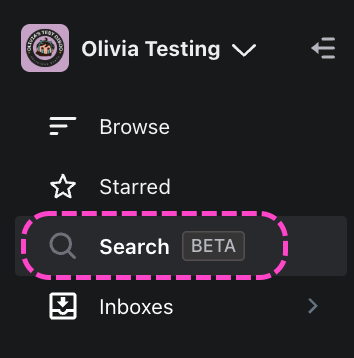
On the left sidebar of your DISCO, select Search.
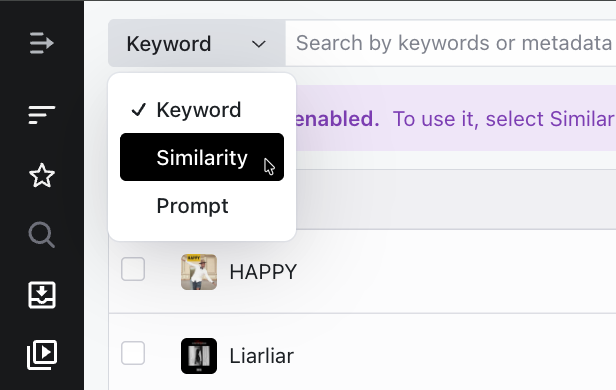
In the search type selector at the top, select Similarity.
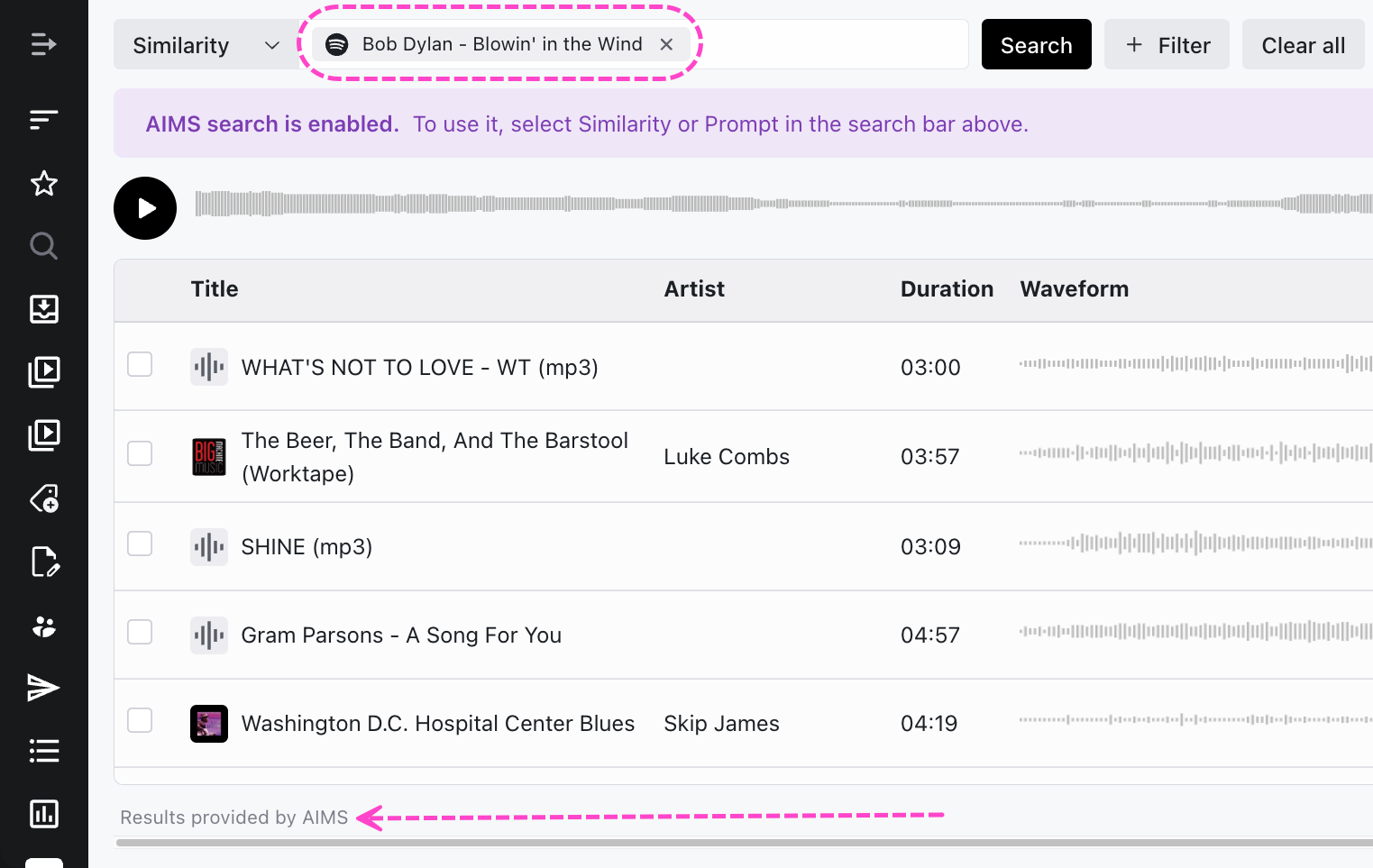
- Paste a link to a song from any of these sources:
- YouTube
- a DISCO Track Share URL
- Spotify
- Apple Music
- Search results will be ranked in order of similarity, and at the bottom of the page you'll see a confirmation of Results provided by AIMS.
AIMS Prompt Search
On the left sidebar of your DISCO, select Search.
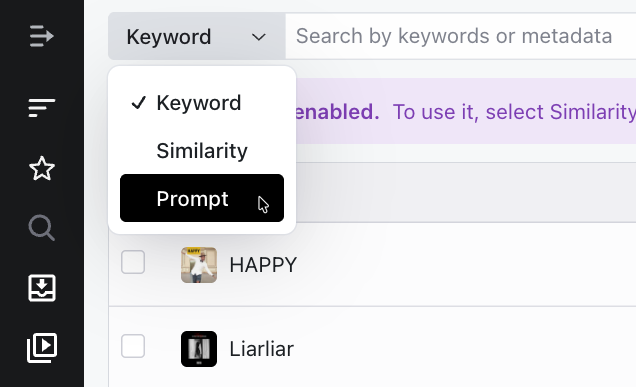
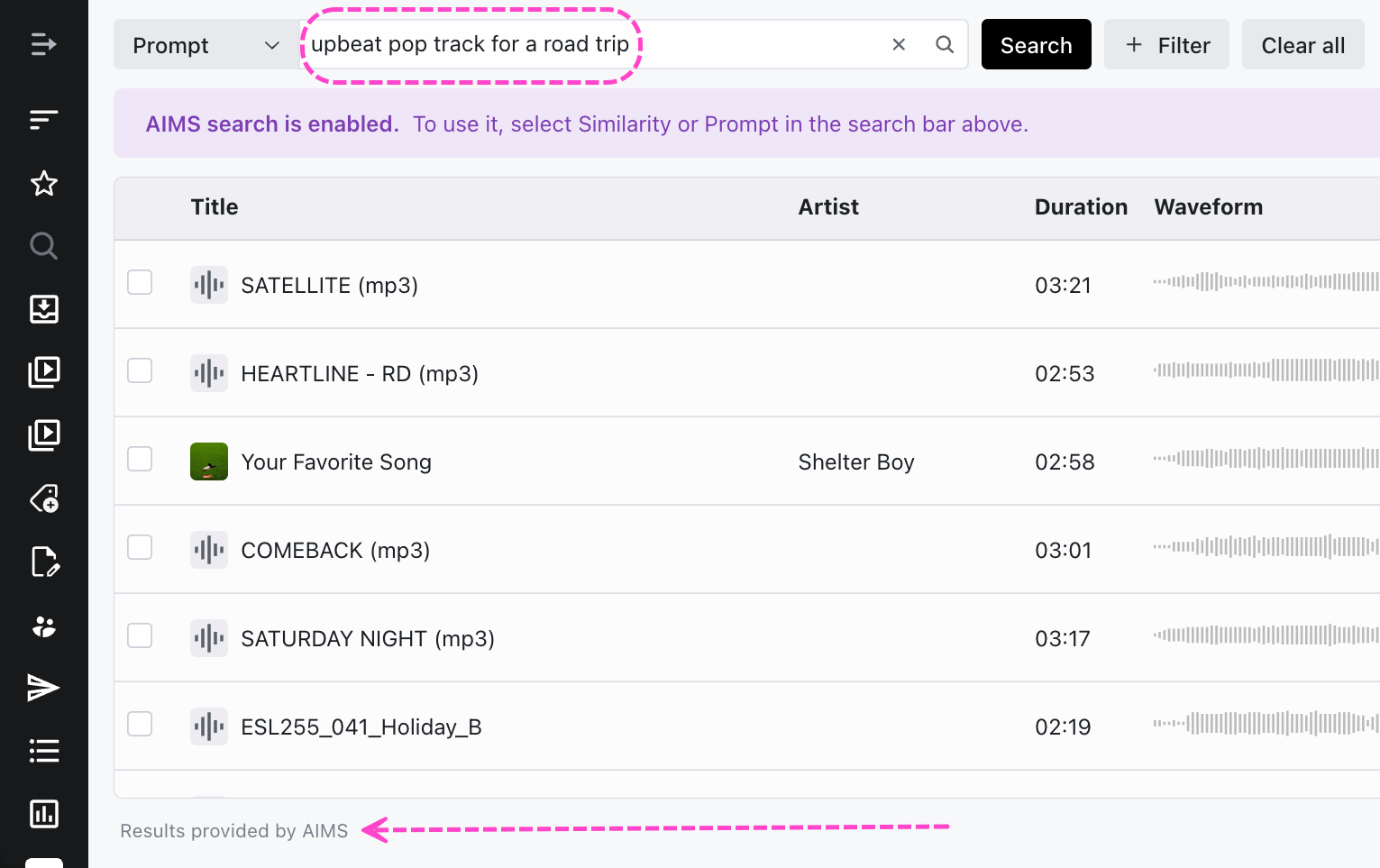
In the search type selector at the top, select Prompt.
Enter a prompt. This can include multiple words describing something specific. For example: “upbeat pop track for a road trip”
Search results will be ranked in order of relevance, and at the bottom of the page you'll see a confirmation of Results provided by AIMS.
Managing the AIMS integration in your DISCO
Once we've enabled the AIMS integration in your DISCO, there's nothing else you need to do! All newly uploaded Tracks in your DISCO will automatically be synced with AIMS and will be available in the search shortly after.
Note: Any Tracks you delete from your DISCO will automatically be removed from AIMS.
Frequently Asked Questions
Q: How do I enable integration?
The AIMS integration is a paid add-on to your DISCO subscription. Please reach out to our support or your DISCO Customer Success Manager if you are interested.
Q: I have added AIMS integration to my subscription. How long before I can use it?
We will do our best to get the integration configured as quickly as possible and it shouldn’t take more than a couple of business days.
Q: Do I need to manage the integration in any way?
No, once enabled, the integration automatically syncs content from your DISCO to AIMS.
