The Artist Profiles in your DISCO are the same ones that are displayed in your DISCO Catalogs under Artists (in the left sidebar). You can link multiple Artist Profiles together so that users are presented with a consolidated Artist Profile when browsing through Tracks with different Artist names in your Catalog.
At a glance
This is useful for Artists who have bodies of work under different aliases or just prefer all of their Tracks to appear under the same Artist Profile in their Catalog.

Linking Artist Profiles
There are two ways to do this:
- from within an Artist Profile
- from your Catalog Settings
Before linking, determine which will be the parent artist, or the artist whose Profile under which Tracks from the other artist aliases will be nested.
Example
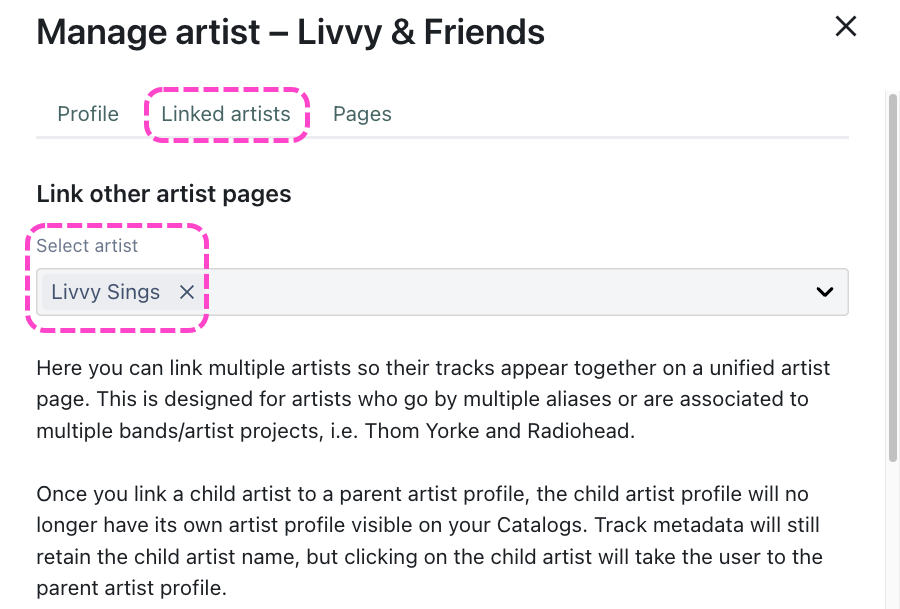
We want Livvy & Friends to be the parent artist, meaning Tracks from Livvy Sings should be nested under the Livvy & Friends Artist Profile.
From within an Artist Profile
- Open the Artist Profile for the parent artist.
- Select the Linked artists tab.
- Select the artist(s) you want to link from the dropdown.
- Select the Profile tab and click the Save button.
From your Catalog Settings
- Open the Catalog Settings for the desired Catalog.
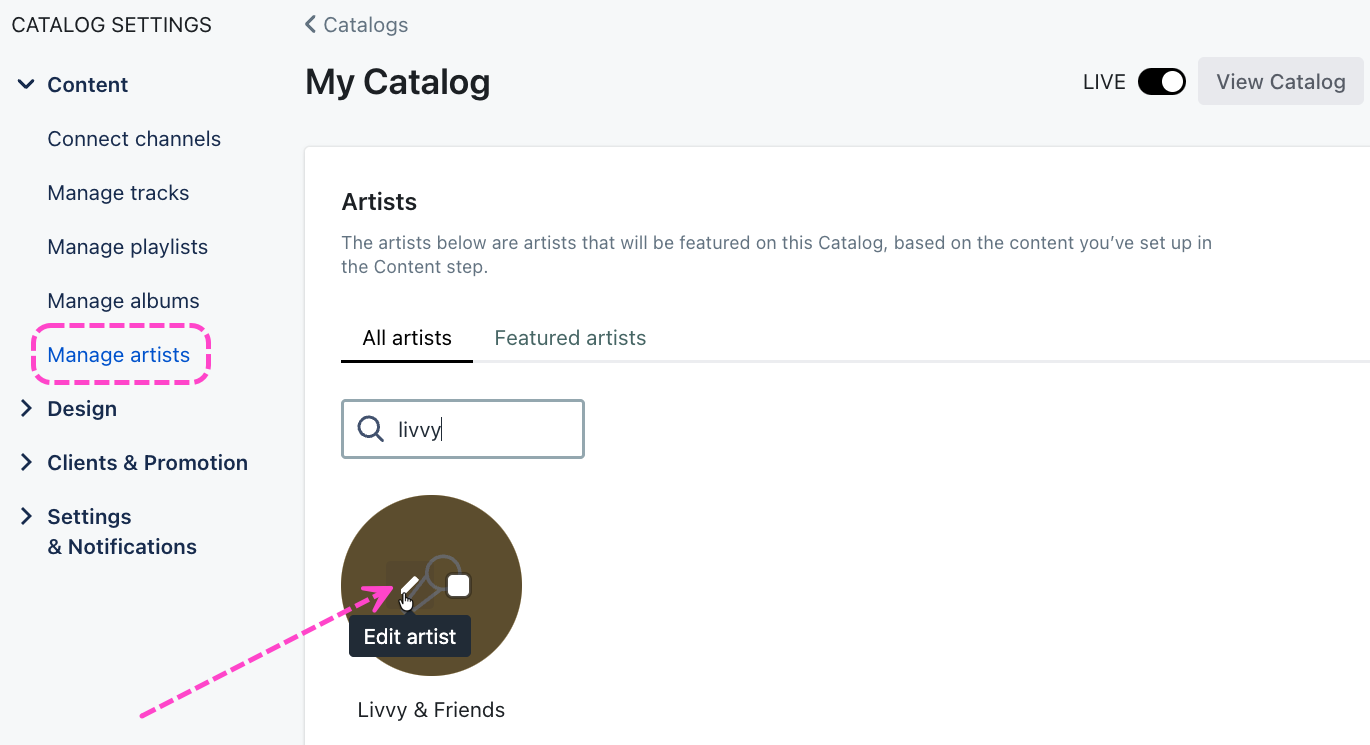
- Under Content, select Manage artists.
- Locate the parent artist, hover over the thumbnail, and click the pencil to Edit artist.
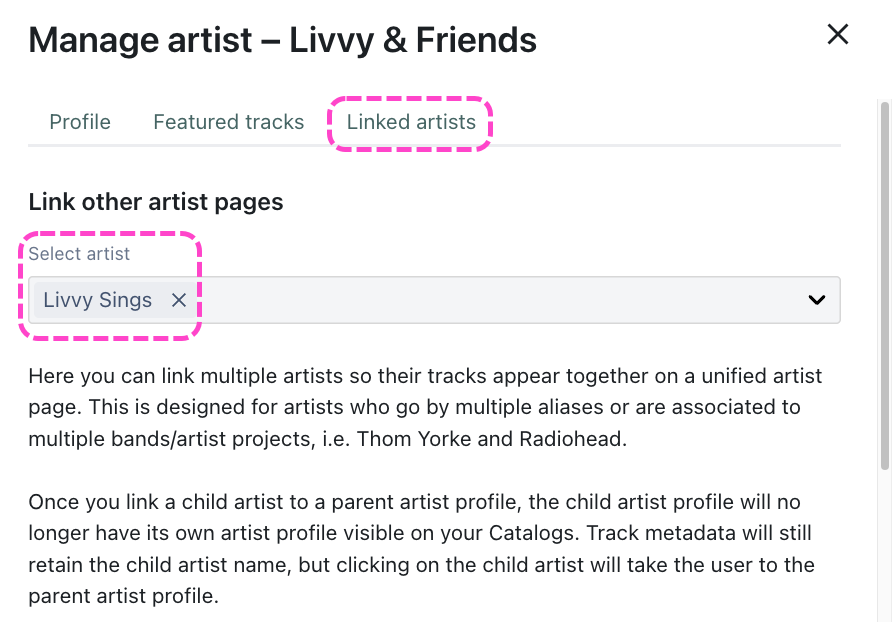
- In the Manage artist window, select the Linked artists tab.
- Select the artist(s) you want to link from the dropdown.
- Select the Profile tab and click the Save button.
Viewing linked artists in your Catalog
After the artists are linked, only the parent artist will have an Artist Profile in your Catalog.
